
How to Delete LinkedIn Account (Step-by-Step Guide)
LinkedIn is a popular professional networking platform, but sometimes users decide to leave it due to privacy concerns, job changes, or reduced usage. If you’re wondering how to delete your LinkedIn account permanently, this step-by-step guide will help you do it easily on both mobile and desktop.
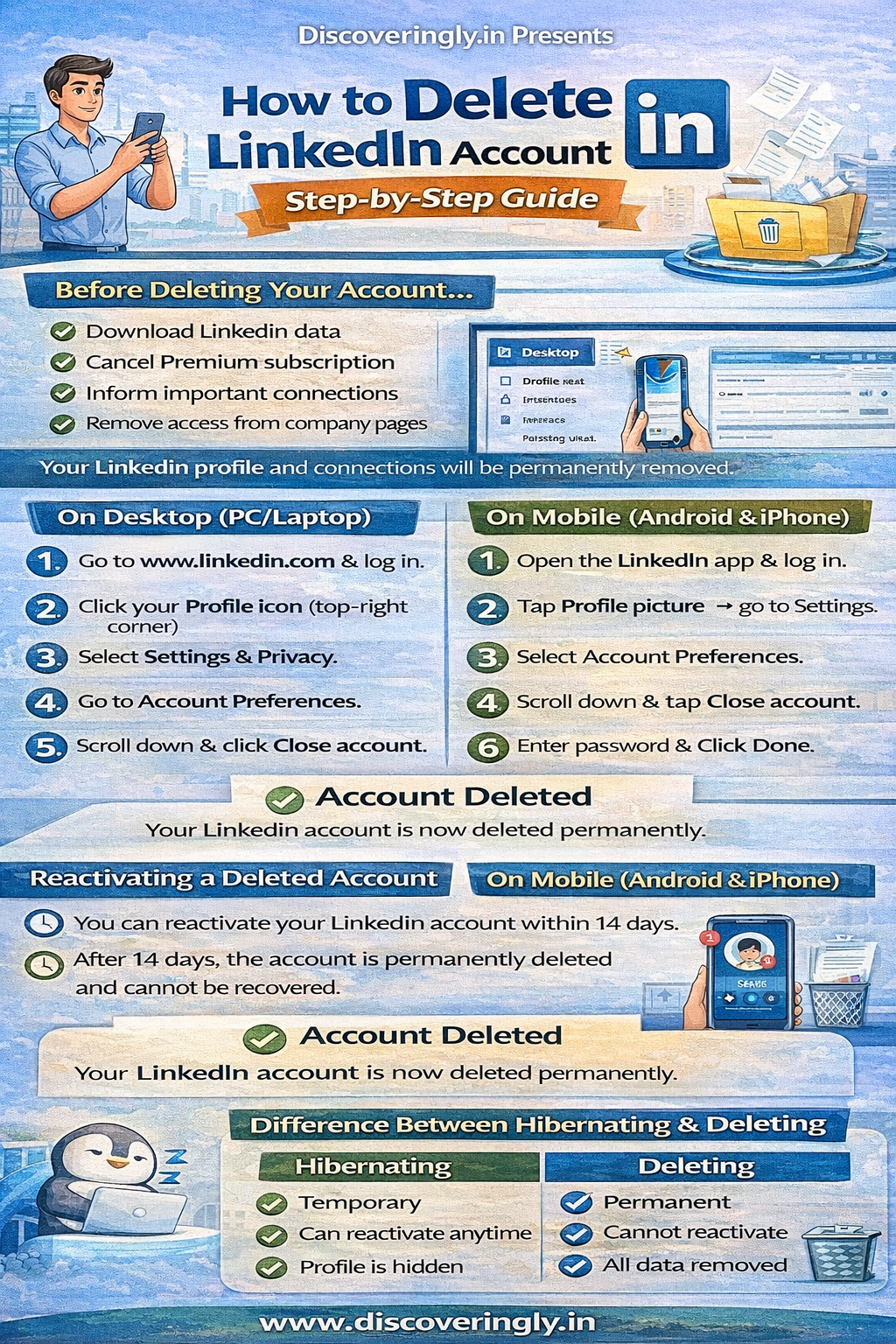
Things to Do Before Deleting Your LinkedIn Account
Before closing your account, keep these points in mind:
-
✔️ Download your LinkedIn data (connections, messages, profile info)
-
✔️ Cancel any premium subscription
-
✔️ Inform important connections if needed
-
✔️ Remove admin access from company pages
Once deleted, your profile, connections, and messages will be permanently removed.
How to Delete LinkedIn Account on Desktop (PC/Laptop)
Follow these steps:
-
Open www.linkedin.com and log in.
-
Click on your profile icon (top right corner).
-
Select Settings & Privacy.
-
Go to the Account Preferences section.
-
Scroll down and click Close account.
-
Choose a reason for closing your account.
-
Enter your LinkedIn password.
-
Click Done to confirm.
Your account will be permanently deleted after confirmation.
How to Delete LinkedIn Account on Mobile App (Android & iPhone)
Steps are similar for both Android and iOS:
-
Open the LinkedIn app and log in.
-
Tap your profile picture → go to Settings.
-
Select Account Preferences.
-
Scroll down and tap Close account.
-
Choose a reason and tap Next.
-
Enter your password and confirm.
Your LinkedIn account will now be deleted.
How Long Does LinkedIn Take to Delete an Account?
-
LinkedIn usually deletes accounts immediately.
-
Your profile may still appear in Google search results for a few days until search engines update their cache.
Can You Reactivate a Deleted LinkedIn Account?
Yes, but only within 14 days of deletion.
You can recover your account by:
-
Logging in again with your email and password.
-
Some data like endorsements and group memberships may not be restored.
After 14 days, the account is permanently deleted and cannot be recovered.
Reasons People Delete LinkedIn Accounts
-
Privacy concerns
-
Too many notifications or emails
-
Not looking for jobs anymore
-
Switching to another professional platform
-
Account created by mistake
Difference Between Deactivating and Deleting LinkedIn Account
| Feature | Deactivate (Hibernate) | Delete (Close Account) |
|---|---|---|
| Temporary | Yes | No |
| Profile Visible | No | No |
| Can Reactivate | Yes | Only within 14 days |
| Data Saved | Yes | Permanently removed |
If you may return later, choose Hibernate account instead of deleting it permanently.
Tips Before Closing LinkedIn Account
-
Save your contacts and messages
-
Remove connected apps and services
-
Update resume from your profile
-
Cancel Premium subscription to avoid charges
❓ FAQ Section (for your blog)
Q1. Can I recover my LinkedIn account after deleting it?
Yes, you can recover your LinkedIn account within 14 days by logging in again. After 14 days, the account is permanently deleted.
Q2. Will my messages and connections be deleted?
Yes, once you delete your LinkedIn account, all your messages, connections, and profile data will be permanently removed.
Q3. Do I need to cancel LinkedIn Premium before deleting my account?
Yes, you must cancel your Premium subscription before closing your account to avoid further charges.
Q4. How long does LinkedIn take to delete an account?
LinkedIn usually deletes your account immediately, but it may take a few days for your profile to disappear from Google search results.
Q5. What is the difference between hibernating and deleting a LinkedIn account?
Hibernating is temporary and allows reactivation anytime, while deleting is permanent and removes all your data after 14 days.
Q6. Can I delete my LinkedIn account from mobile?
Yes, you can delete your LinkedIn account using both Android and iPhone apps through Settings → Account Preferences → Close Account.
Conclusion
Deleting your LinkedIn account is simple and can be done in just a few minutes. Whether you are taking a break or leaving permanently, make sure you back up your data and cancel subscriptions before closing your account.
If you only need a break, consider hibernating your account instead of deleting it permanently.
